Text
If the model supports text input or text output, this tab is available.
On the Details tab, Use Batch Output appears after the model-specific custom fields, followed by Drop Tool Calls. Drop Tool Calls prevents model tool-call results from being carried into Chat Output Path as synthetic assistant messages. The model-call dialog also has an AG-UI tab, positioned after Chat, where you can disable assistant text, reasoning, or tool-call stream events for that node.
-
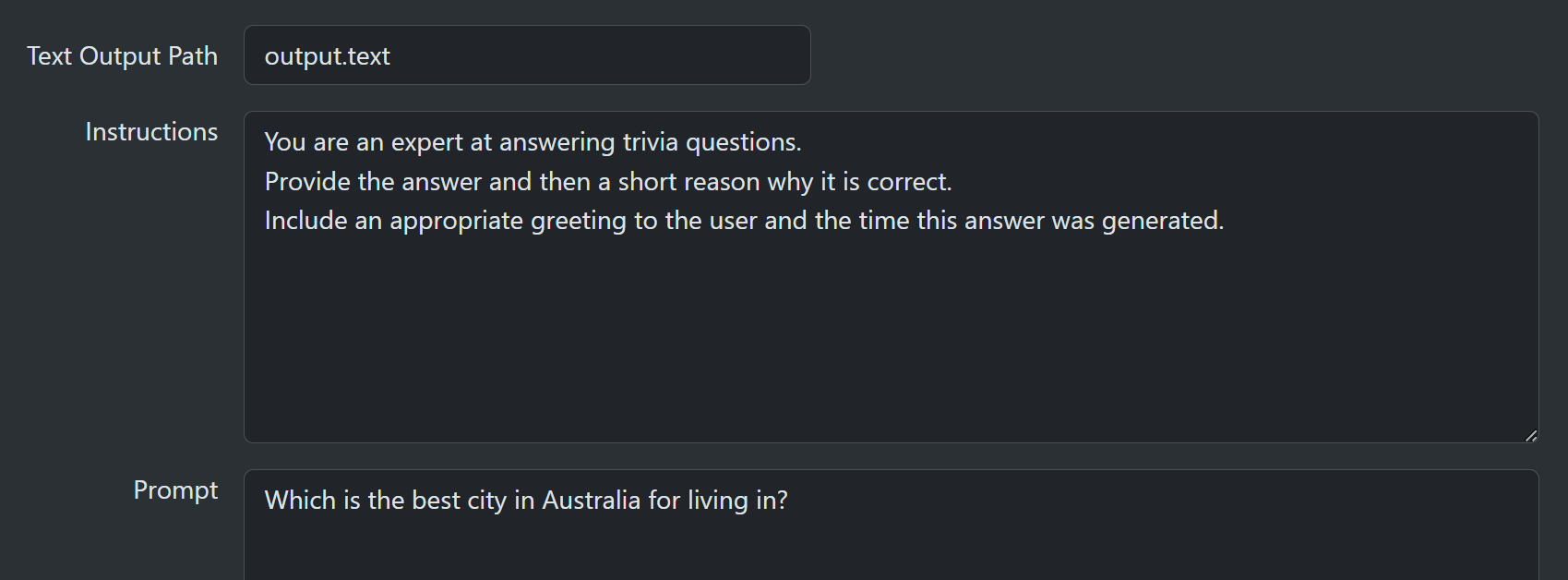
Text Output Path defaults to output.text and is the context path that receives text output from a successful model call. If the same path is written by later model-call nodes, the later value overwrites the earlier value at that exact path. You can leave this field blank to ignore the output. Text output is still generated but discarded.
-
Instructions (Optional) system-level instructions for the call.
-
User (Mandatory) user-level prompt for the call.
When you use an OpenAI, Azure OpenAI, Anthropic, Foundry Anthropic, or Google model, runtime output is now incremental. Immediately before the provider call, the resolved User content is stored as silent user text stream events unless Disable User Event is enabled on the AG-UI tab. Assistant text is streamed during execution, visible reasoning is emitted as reasoning stream events, and tool calls are emitted as tool-call stream events. Assistant, reasoning, and tool-call trace entries are also updated while the node is still running. If you disable one of those categories in the AG-UI tab, only the matching stream events are suppressed. Final outputs and assistant/reasoning/tool trace entries are still produced.
Context substitution {{$path}}
The Instructions and User fields can use template substitution to insert parameterized content.
To insert a value from the context, use this pattern {{$path}}, where path is the context path. To define fallbacks, provide a comma-separated list such as {{$tenant.path, $fallback.path}}. SharpOMatic tries each path from left to right and inserts the value from the first path that exists. Context entry names are valid C# identifiers and cannot contain commas, so commas are reserved as fallback separators. If none of the listed paths exist, template expansion fails and the workflow node exits with an error. All values are converted to a string, so effectively .ToString() is called on the value. This allows you to insert integers, floats, booleans, and other types because they can always be converted to a string. If the context value is itself a string, SharpOMatic recursively expands any context or asset substitution markers inside that string. Non-string values such as objects and lists are serialized or converted as before; substitution markers inside those serialized values are not expanded.

Asset substitution <<$name>>
You can also substitute text assets by using the <<$name>> or <<name>> pattern, where the name is the library, conversation, or run asset name. The leading $ is optional and is not treated as part of the asset name. Use <<$folder/name>> to select a library asset from a named folder. To define fallbacks, provide a comma-separated list such as <<$override.txt, $default.txt>>. SharpOMatic tries each name from left to right and inserts the first asset it finds. Commas are reserved as separators, so SharpOMatic does not allow commas in asset or asset-folder names. If no listed asset can be found, template expansion fails and the workflow node exits with an error. Note that only text media types such as text/plain can be inserted. You cannot insert images, PDF documents, or binary data, only text. Text asset content is also recursively expanded, so assets can contain context markers such as {{$path}} or other text asset markers such as <<shared-instructions.txt>>. Recursive expansion is limited to 10 levels and cycles fail the workflow run with a template expansion error.
