Start Node
The start node is the entry point for every workflow. Each workflow must have exactly one start node.
Input context
The start node receives the initial context that is supplied via the editor or programmatic invocation. If you do not supply a context, an empty context is created automatically. If your workflow does not need to enforce inputs, leave the node unchanged. When initialization is enabled, the context is rebuilt from the listed entries and any unlisted values are dropped. If the list is empty, the resulting context is empty.
The Start node does not create ChatMessage entries by itself.
For AG-UI non-conversation runs, the AG-UI controller creates agent.chat from the incoming AG-UI messages array before the workflow reaches the Start node.
For AG-UI conversation-enabled workflows, the controller updates agent with the latest incoming message and loads any stored workflow context, but it does not append the incoming message to input.chat.
If initialization is enabled, only the configured context entries are kept.
Include agent, input.chat, or any other AG-UI values in the initialization list when the workflow needs them after the Start node.
Mandatory values
You can choose to initialize the context.
This allows you to enforce mandatory entries.
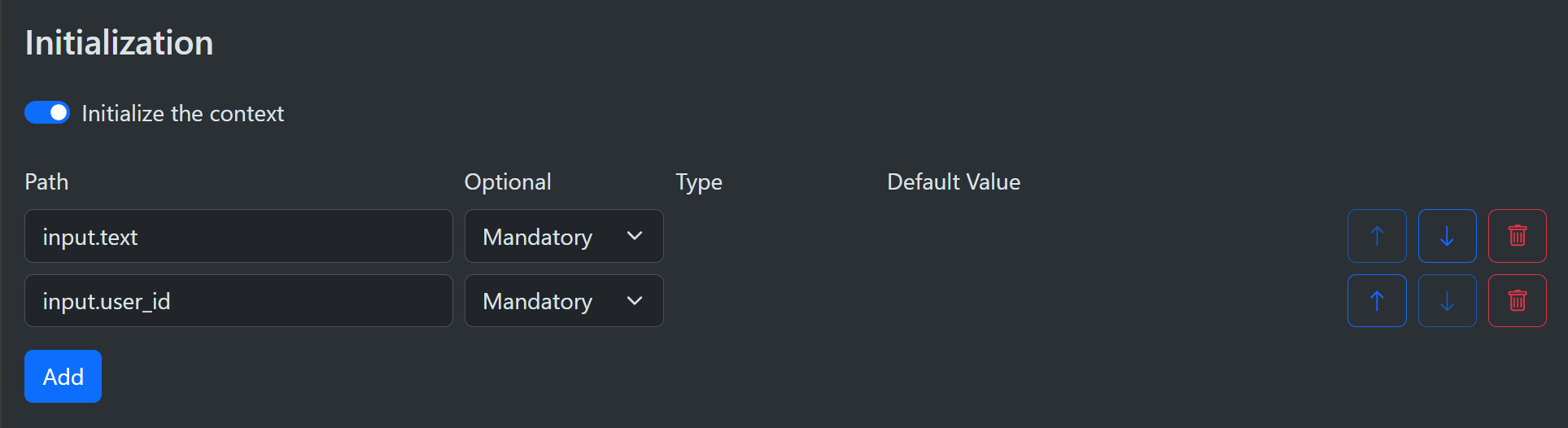
Simply turn on the Initialize the context checkbox and then add a list of paths that must be present.
Note that it does not check the type, only the presence of a value.
Paths must be non-empty and valid context paths.
List index targets (for example, input.list[0]) cannot be created during initialization because lists are not auto-created.
Optional values
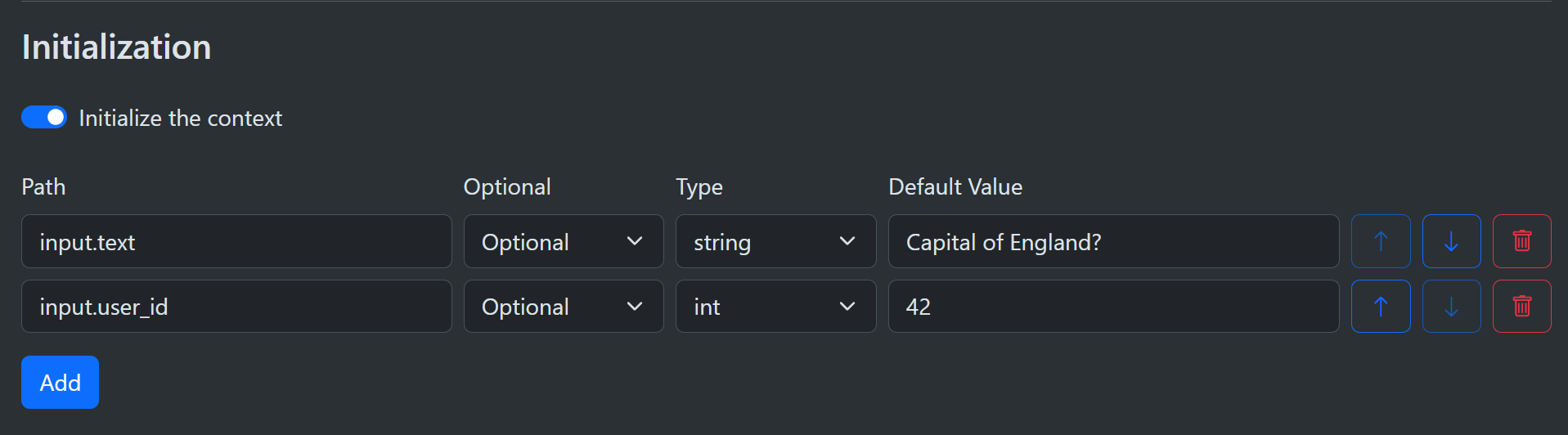
If you specify a default value, the value becomes optional. When a value is provided it will always be used; otherwise, the defined default value is applied. Default values are parsed and validated based on the selected type, and invalid values fail the run. A null value counts as provided and does not trigger the default.
You can choose from bool, int, double, and string as basic scalar types. Other type options are described below.
Default assets
You can specify a single asset or a list of assets from the asset library.
In both cases, these come only from the asset library and are the same each time you run the workflow.
You cannot add run-scoped or conversation-scoped assets this way; add those programmatically by inserting AssetRef values directly into the context.

Default JSON
Initializing from JSON is a fast way to add many values at once. The JSON can be as simple as a single value or a large and complex hierarchy. It is easier to apply a JSON block than using many different path initializations for individual values. Integer numbers are turned into the C# int type, fractional numbers into double, an object becomes a ContextObject, and a list becomes a ContextList.

The above block will be parsed and inserted into the context as if the following code was written:
    Context.Set("input.json", new ContextObject());
    Context.Set("input.json.text", "Capital of England?");
    Context.Set("input.json.number", 42);
    Context.Set("input.json.list", new ContextList());
    Context.Set("input.json.list[0]", 1);
    Context.Set("input.json.list[1]", true);
    Context.Set("input.json.list[2]", "foobar");
Default expressions
If one of the listed types is not appropriate, you can use a C# expression to return a value.
In the following example, the expression returns the current date and time.
This works because the returned type DateTimeOffset is a scalar and all scalars can be persisted to and from JSON without additional work.
Returning a class would require you to add an appropriate JsonConverter to the SharpOMatic setup during program setup.
Default expressions have access to Context, Assets, and Templates, including await Templates.ExpandAsync(...) for expanding context and text asset markers.
