End Node
The end node marks a workflow completion point. Workflows can have multiple end nodes when there are multiple paths to completion. End nodes are optional, but they are strongly recommended for predictable outputs.
Workflow result
The context available at the end node becomes the workflow result. If you do not use any end nodes, the context from the last node executed becomes the result. When multiple end nodes run (for example, after parallel paths), the one that finishes last sets the final result. If you need deterministic output from parallel paths, merge the data before the end node. Once an end node has run, its output is preserved even if other non-end paths finish later. Only a later end node can replace the workflow result.
Mapping outputs
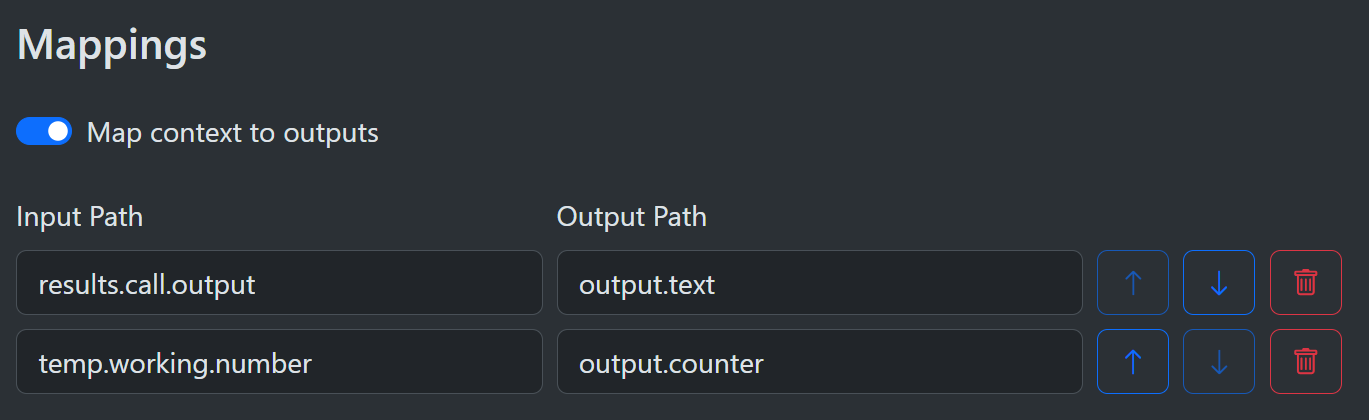
Check the Map context to outputs toggle to enable mapping. Use the end node to map values from the context to only those you want in the workflow result. This allows you to keep the output clean and focused on the result while hiding internal details. If a specified input path does not exist, the mapping is ignored and no error is raised. When mapping is disabled the full context is passed as the workflow output. If mapping is enabled with no entries, the output context is empty. Input and output paths must be non-empty or the run fails. If an input path exists with a null value, null is mapped to the output. If an output path is invalid (for example, a list index without a list), the mapping is skipped and no error is raised.