FanOut / FanIn Nodes
FanOut and FanIn nodes are used together to run multiple branches in parallel and then merge the results. Use FanOut to split execution into multiple threads, and FanIn to wait for all branches to finish.
FanOut
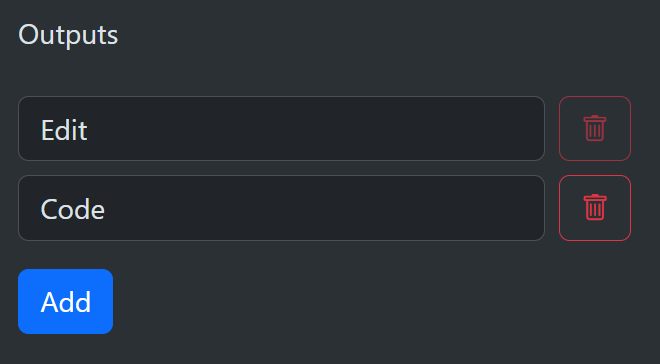
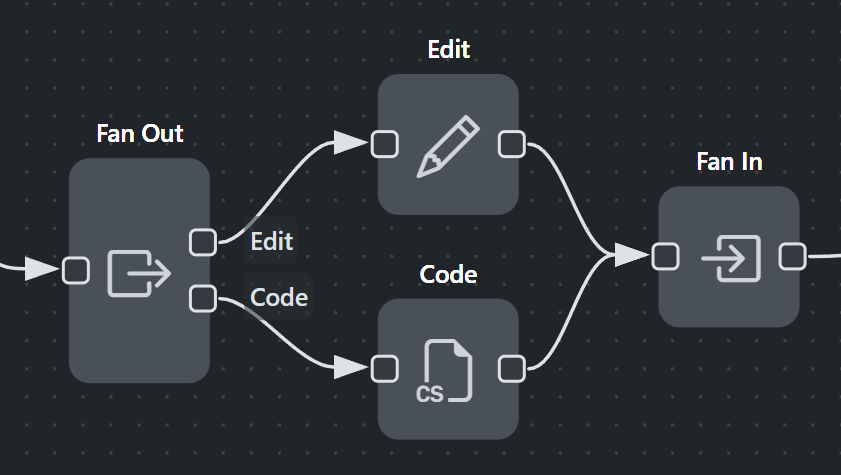
FanOut creates a new thread of execution for each defined output connection. Each branch starts with a cloned copy of the incoming context, so changes in one branch do not affect the others. Define the output names in the node details to keep branches organized and readable in the editor. Unconnected outputs are ignored. If none are connected, the FanOut completes immediately and the current context becomes the workflow result unless a later End node overrides it.
FanIn
FanIn waits until all FanOut branches arrive. Once all branches complete, execution continues from the FanIn output as a single thread. All incoming connections must originate from the same FanOut node. If a thread arrives that did not originate from a FanOut, the run fails.
Result merging
Only values under output are merged from branches into the final result.
The output of the FanIn node is the context from the last execution path to arrive, plus merged values from each branch's output entries. It is not appropriate to merge every entry from every path because that duplicates unrelated fields, which is seldom the desired outcome. If the same output path occurs in multiple branches, a list is created with each branch value added to the list. If one branch produces a list and another produces a scalar at the same path, the scalar is appended to the list. Nested objects under output are merged by key.
For example, if the first branch has the following context data:
  {
    "output": {
      "text": "Australia",
      "firstCompleted": true
    },
    "first": 42
  }
And the second branch has this context data:
  {
    "output": {
      "text": "Brazil",
      "secondCompleted": true
    },
    "second": 3.14
  }
If the second branch arrives last at the FanIn node, the output would be:
  {
    "output": {
      "text": ["Australia", "Brazil"],
      "firstCompleted": true,
      "secondCompleted": true
    },
    "second": 3.14
  }
FanOut without FanIn
If you fan out without a FanIn, each branch runs independently. The workflow output will be taken from the last branch to finish unless an End node sets the output earlier. Only connected outputs start branches.