Structured Output
If the model supports structured output, this tab is available.
Structured output determines how the model output is provided. The Structured Output drop-down presents a list of the available options for the selected model. Possible options include the following.
Text
This is the default option and means text will be returned. There is no attempt by the model to convert the output to JSON automatically. If you need JSON formatting, indicate this in your instructions or prompt text.
JSON
This instructs the model to return valid JSON as the output. However, you are not specifying the actual schema, so the returned JSON might not be in the shape you would like. It could even differ in shape when making the exact same call multiple times.
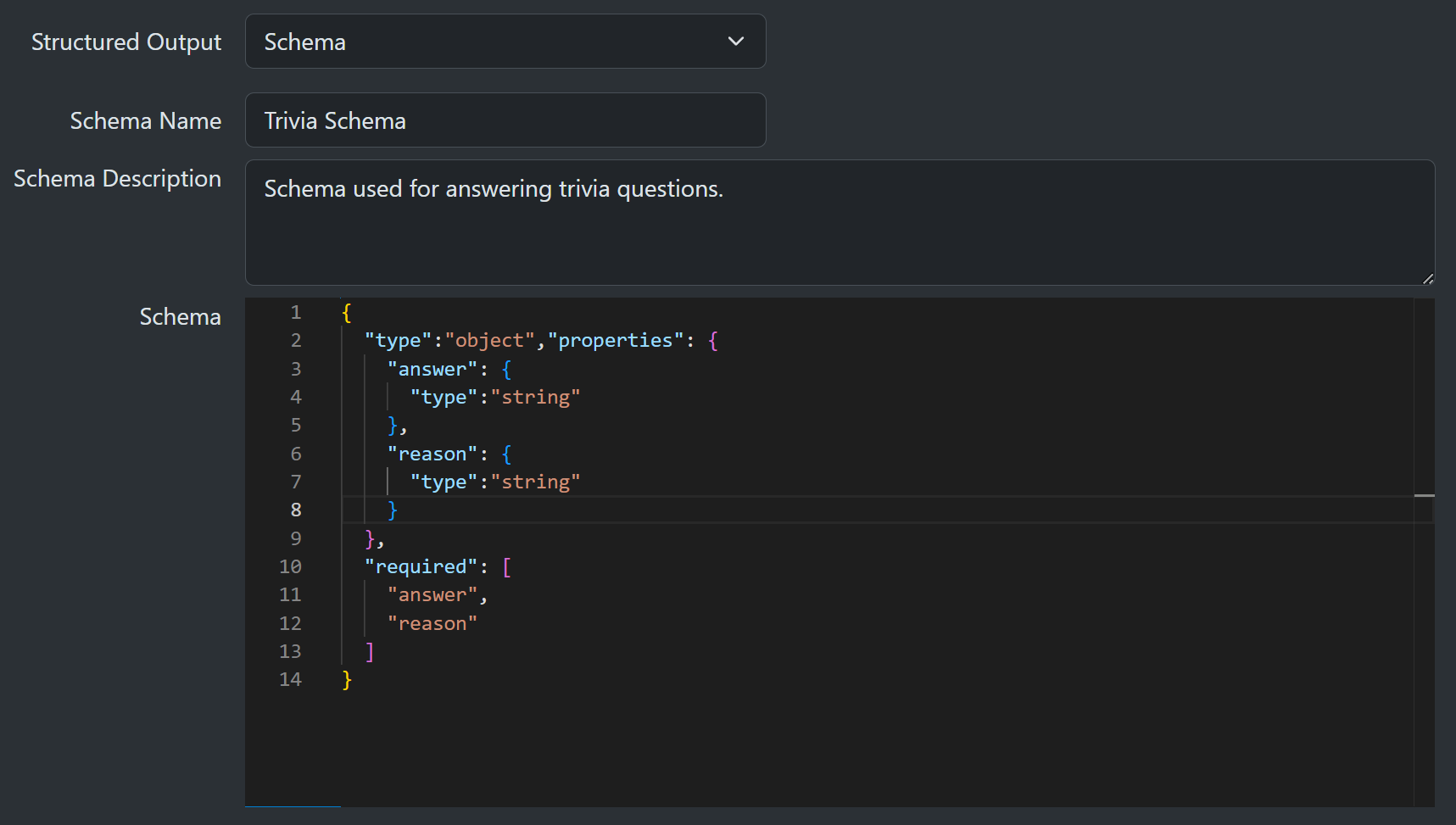
Schema
You are instructing the model to return JSON and you are also providing the schema shape the data should conform to.
- Schema Name (Optional) a short name for the schema.
- Schema Description (Optional) a longer description of the schema's purpose.
- Schema (Mandatory) a JSON schema-conforming definition.
Typically, models expect the schema to start at the top level with an object, not an array. Check the documentation of your model provider to ensure your schema conforms to their expectations.
Configured type
To ease integration with your backend code, you can select an actual C# type from your backend project. The C# type will be automatically converted into a matching JSON schema.
- Type (Mandatory) drop-down with list of allowed types.
- Schema Name (Optional) a short name for the schema.
- Schema Description (Optional) a longer description of the schema's purpose.
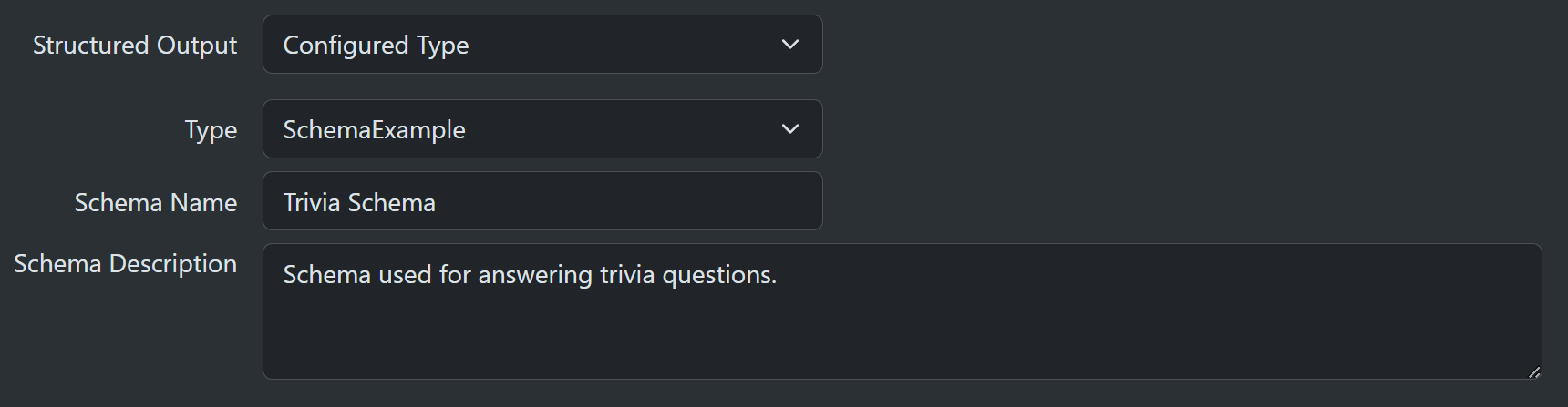
During program setup, you can use the AddSchemaTypes extension to specify a list of the C# types that appear in the dropdown. Use a comma-separated list of types if you need to specify more than one.
  builder.Services.AddSharpOMaticEngine()
     .AddSchemaTypes(typeof(SchemaExample));