Use Samples
SharpOMatic includes sample workflows you can load into your workspace.
Samples are useful for exploring the editor, exploring different features and seeing recommended patterns.
Samples include AG-UI conversation patterns and basic orchestration patterns such as fan-out/fan-in, batch processing, loops and more.
If a sample needs to use a model then you will need to create a connector and then model.
Once added you can edit the ModelCall in the workflow and select the model you just defined.
To test AG-UI samples over the browser protocol, use the Sharpy client sample.
Choose a sample
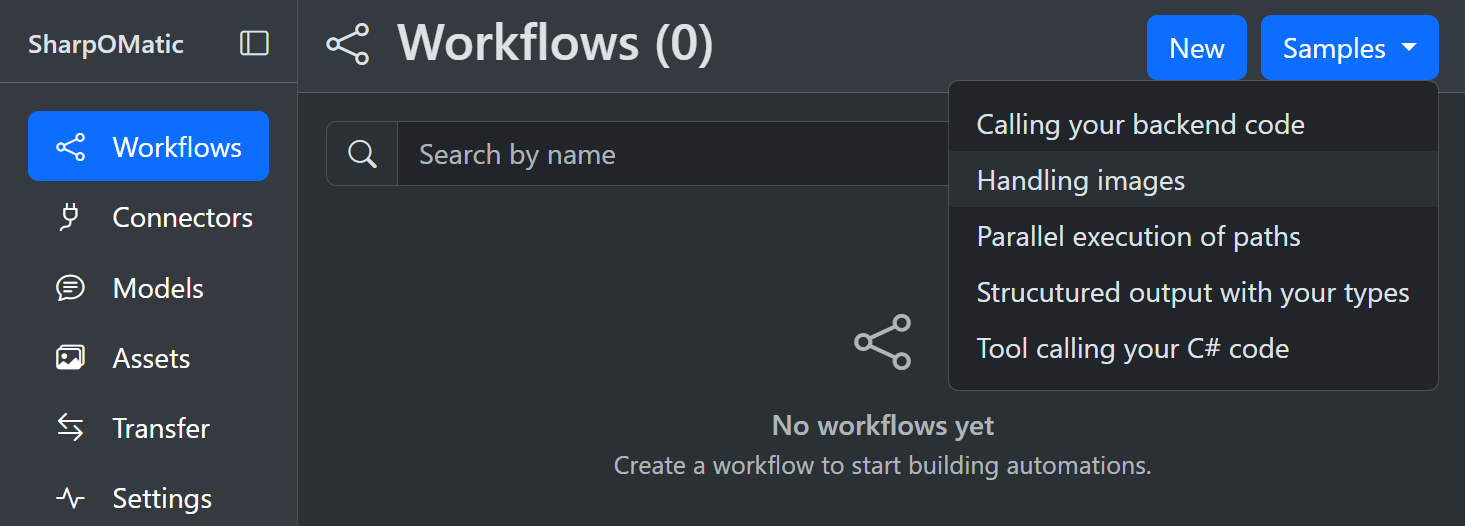
The Samples menu lists Basic samples first, then AG-UI samples, then any other samples.
| Sample | Description |
|---|---|
| Basic: Switching paths logic | Uses the Switch node to run different paths. |
| Basic: Looping around path | Shows how to loop for a defined number of times. |
| Basic: Parallel paths logic | Uses FanOut and FanIn to run parallel paths. |
| Basic: Batch processing of items | Parallel processing of items in batches. |
| Basic: Call backend code | Uses backend classes in the Code node. |
| AG-UI: Stateless simple chatbot | Simplest chatbot with a stateless workflow. |
| AG-UI: Stateful simple chatbot | Simplest chatbot with a stateful workflow. |
| AG-UI: Stateful human in the loop | Human-in-the-loop chatbot. |
| AG-UI: Stateful agent with customization | Stateful agent that uses tools and streaming events. |
| AG-UI: Example activity events output | Uses activity events to show progress in the frontend. |
| AG-UI: Example tool call event output | Uses tool events to show custom rendering in the frontend. |
| AG-UI: Code only event stream | Multi-turn workflow with hand-crafted output. |
Create a workflow from a sample
- Open the Workflows page in the editor.
- Select Samples from the top right, then choose a sample from the list.
- The sample is copied into your workspace as a new workflow.
Where samples come from
Sample workflows are embedded in the engine and surfaced by the editor. If no samples are available, the Samples menu is hidden.