Use Samples
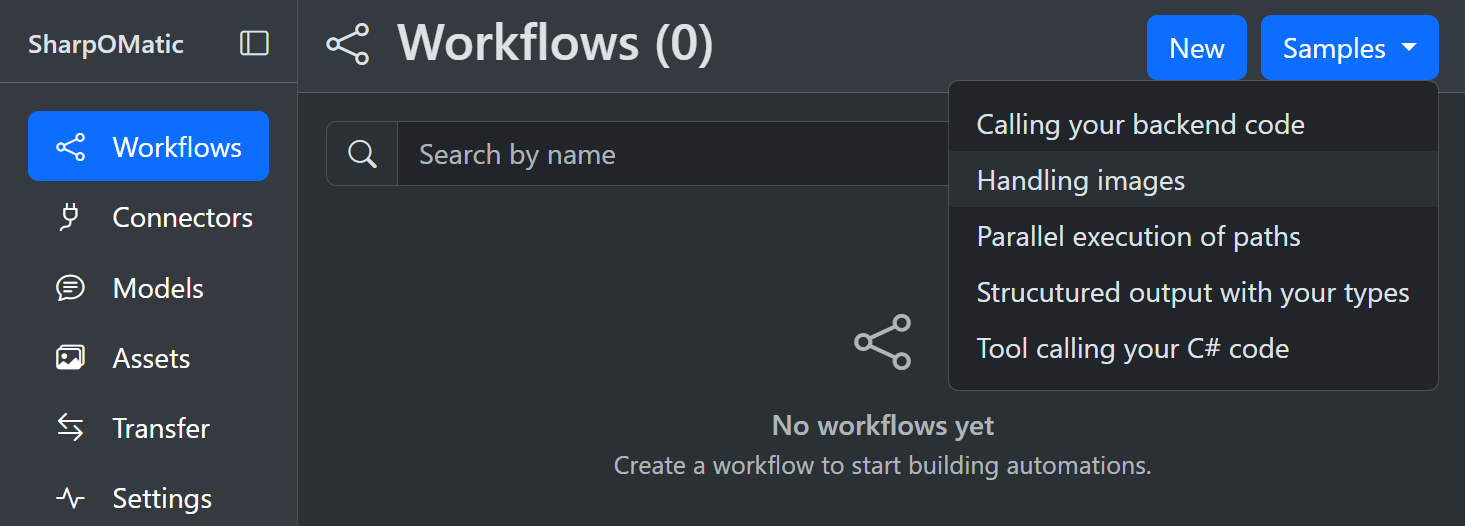
SharpOMatic includes sample workflows you can load into your workspace. Samples are useful for exploring the editor, exploring different features and seeing recommended node patterns. Samples include orchestration patterns such as fan-out/fan-in, batch processing, loops and more. If a sample needs to use a model then you will need to create a connector and then model. Once added you can edit the ModelCall in the workflow and select the model you just defined. Some sample sets can also be used as references when building evaluation scenarios.
Create a workflow from a sample
- Open the Workflows page in the editor.
- Select Samples from the top right, then choose a sample from the list.
- The sample is copied into your workspace as a new workflow.
Where samples come from
Sample workflows are embedded in the engine and surfaced by the editor. If no samples are available, the Samples menu is hidden. To explore evaluation-related flows, start from a sample workflow and then configure an eval from the Evaluations section in the editor.